
Why Your Promo Code Isn't Working
You pasted it, and the store said no. Here are the seven things that actually cause it, how to tell which one you've hit, and what fixes each.

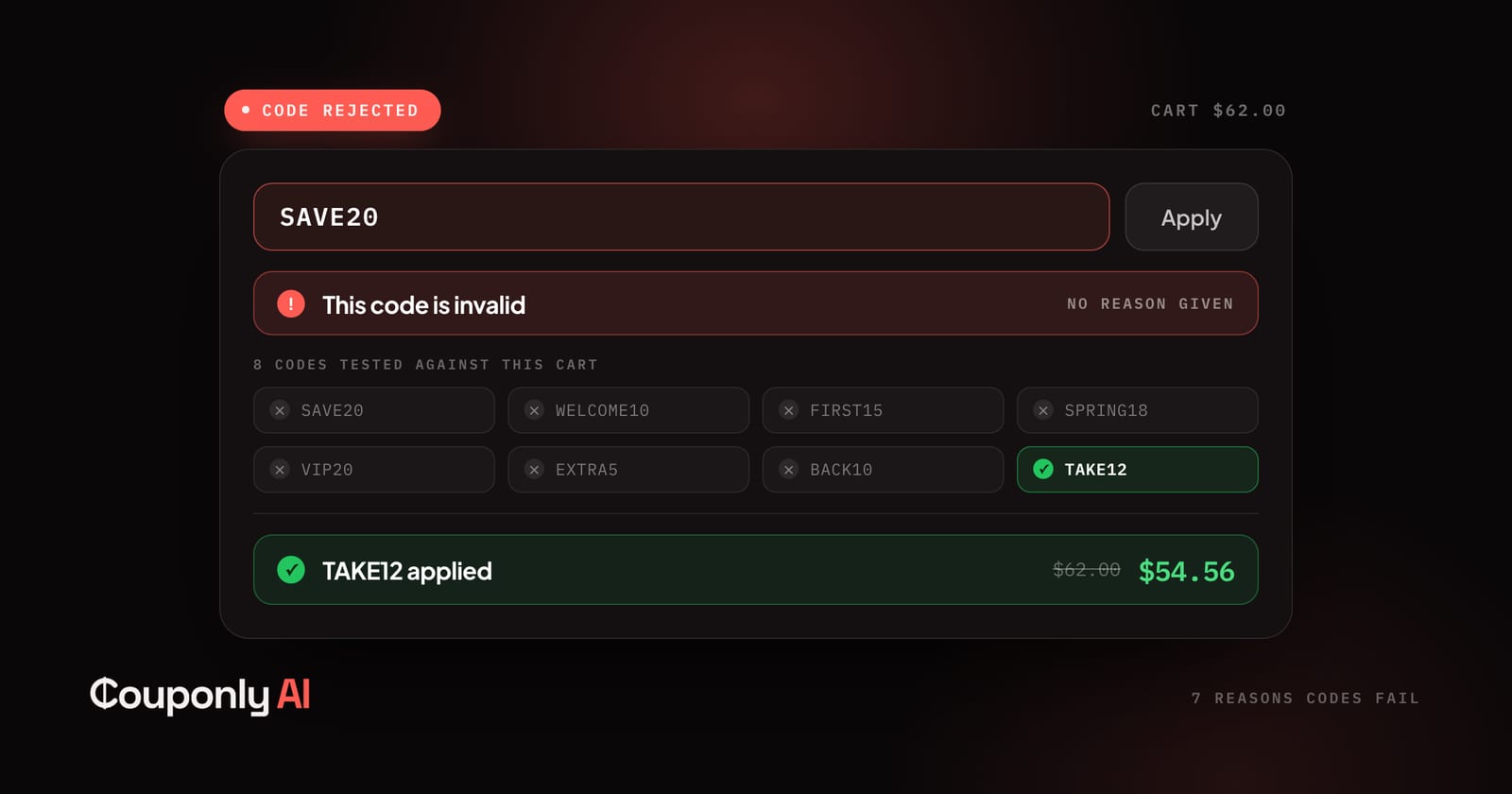
You found a code, pasted it into the box, and the store rejected it. Usually with something unhelpful: This code is invalid.
Short answer: rejection almost always means one of seven things, and only the first is what most people assume. The store's error message is deliberately vague — retailers don't publish their promotion rules — but the reason is usually inferable from your cart, and several of these are fixable in under a minute.
1. It expired, and the site you found it on never removed it
The most common cause, and the reason coupon sites feel so unreliable.
Most coupon listings are user-submitted and never re-checked. A code posted in March stays up in August, collecting clicks, because nothing in the system knows it died. Some sites keep expired codes deliberately — a page with forty offers ranks better than one with four.
How to tell: the store rejects it instantly, with no mention of conditions. If the listing has no "last verified" date, assume it's stale.
What to do: stop trying codes from lists that don't timestamp them. Verification is the entire difference between a code database and a working discount, which is why we test codes against real checkouts rather than collecting submissions — the mechanics are on why you can trust Couponly.
2. It was single-use, or tied to someone else's account
A large share of circulating codes were never meant to be public. Referral codes, first-order links, apology credits issued to one customer, loyalty rewards, and codes generated uniquely per email signup all get screenshotted and shared, and none of them work twice.
Creator codes are the confusing case: a code like ALEX20 might be genuinely reusable, or might be a personal link that only functions when you arrive through it.
How to tell: the error mentions your account, or the code is oddly specific — a person's name, a long random string, a birthday reference.
What to do: nothing will make it work. Look for a public promotion instead.
3. Your cart doesn't meet the conditions
Codes carry rules the store doesn't show you: minimum spend, minimum quantity, specific categories, first-time customers only, particular payment methods, sometimes a specific delivery country.
A code advertised as "20% off" may mean 20% off orders over €80. If your cart is €62, the code is valid and still rejected.
How to tell: this is the one case where error messages sometimes help — anything mentioning a minimum, eligibility, or "on qualifying items."
What to do: check whether adding one item crosses the threshold. Sometimes it's genuinely worth it; often the maths doesn't work and you're better off without.
4. Something in your cart is excluded
Nearly every promotion carves out categories, and the exclusions are rarely visible until failure:
Sale and clearance items
Brands with minimum advertised price agreements (common in electronics, tools, beauty, sneakers)
Gift cards
Subscriptions and digital goods
New releases and pre-orders
Bundles that are already discounted
One excluded item can void the whole cart, not just its own line.
How to tell: the code works when you empty the cart and add one basic item, but fails with your full order.
What to do: split the order. Buy the excluded item separately, apply the code to the rest. Two orders may cost more in shipping, so check the total before committing.
5. You're not a new customer
"New customer" promotions are the largest category of publicly advertised codes, because acquisition budgets are where the discount money sits.
Stores enforce this more precisely than people expect — by email, by payment method, by device fingerprint, by shipping address. Using a different email on the same card and address usually still fails, and on some stores it can flag the order for cancellation.
How to tell: the promotion is prominently advertised and you've bought there before.
What to do: look for returning-customer offers instead, which exist but are advertised far less.
6. Only one code per order
Most checkouts accept a single code. If a discount is already applied — an automatic sale price, a loyalty credit, free shipping from an earlier code — the new one may be silently refused or may replace what you had.
How to tell: the field accepts your code but the total doesn't move, or a previous discount disappears.
What to do: compare them individually. Apply one, note the total, remove it, apply the other. The bigger discount isn't always the better one once shipping is included.
7. Wrong region, wrong currency, wrong store
International retailers run separate storefronts with separate promotions. A code from the US site frequently won't work on the UK or EU one, and codes surfaced by search often aren't labelled by region.
Currency and delivery country matter too: a minimum-spend threshold in dollars behaves differently against a euro cart.
How to tell: the code appears widely reported as working, and fails for you specifically.
What to do: search for the code alongside your regional domain, or check the store's own promotions page for your country.
What the error messages actually mean
Stores use a small set of phrasings, and they map loosely onto the causes above:
"Invalid code" / "Code not recognised" — expired, mistyped, or never existed. Check for a leading space from copy-paste first; it's a surprisingly frequent cause.
"Code cannot be applied to items in your cart" — an exclusion (reason 4) or a category restriction (reason 3).
"Minimum order value not met" — reason 3, and the only message that tells you exactly what to fix.
"This code has already been used" — single-use (reason 2) or new-customer enforcement (reason 5).
"This code has expired" — the one honest message in the set.
If your code is rejected with no message at all, the field may simply not have submitted. Try again before concluding anything.
Two things that quietly improve your odds
Copy carefully. Codes are case-sensitive on many platforms, and copying from a webpage often picks up a trailing space or a non-breaking character. Retype it manually if pasting fails.
Check whether a code is even the best route. Sale prices, bundles, and automatic discounts sometimes beat every code available, and codes frequently can't stack on them. The total at checkout is the only number that matters.
What we do about all this
The seven reasons above are why we didn't build another coupon list. A list can only tell you a code existed at some point. It can't know whether it works for your cart.
Our systems continuously find codes and test them, filtering out ones that no longer function — so what you see reflects recent observation rather than a submission from an anonymous user months ago. At checkout, the browser extension goes further and tests our verified codes against your actual cart, keeping whichever lowers your total most. That directly addresses reasons 1, 3, 4, and 6, because it's testing against real conditions rather than guessing.
One honest limit: eligibility is decided by the merchant and can change at any moment. "Verified" is a freshness signal, not a guarantee — we'd rather say that plainly than imply certainty we can't deliver. If you want the full picture of how verification and ranking work, it's on why you can trust Couponly, and if you're wondering how a free tool pays for itself, that's how coupon extensions make money.
To find current offers for a specific retailer, start with the store directory or browse by category.
Frequently asked questions
Why is my promo code not working?
Usually one of seven reasons: it expired and was never removed from the site you found it on, it was single-use or tied to another account, your cart doesn't meet the conditions, something in your cart is excluded, the offer is new-customers-only, the store allows just one code per order, or the code belongs to a different regional storefront.
Why do so many coupon codes online say they're valid but aren't?
Most coupon sites accept user submissions and never re-check them. Expired codes stay listed indefinitely, and larger listings tend to rank better in search, so there's little incentive to remove them.
Can I use two promo codes on one order?
Usually not. Most checkouts accept a single code, and applying a second one either fails silently or replaces the first. A few retailers allow stacking a discount with free shipping — compare the totals individually to see which combination wins.
Why does a code work for other people but not for me?
Most often it's a regional storefront difference, a new-customer restriction you don't qualify for, or an item in your cart that's excluded from the promotion. Codes reported as working are rarely labelled with the conditions they were used under.
Does a promo code work on sale items?
Frequently not. Sale and clearance items are among the most common exclusions, along with gift cards, subscriptions, pre-orders, and brands with minimum advertised price agreements. One excluded item can invalidate the code for the entire cart.
How can I tell if a coupon code is still valid before trying it?
Look for a last-verified date on the listing. If there isn't one, the code hasn't been checked. Codes that are tested against real checkouts and timestamped are far more reliable than user-submitted lists, though eligibility is always ultimately decided by the merchant.
Keep reading
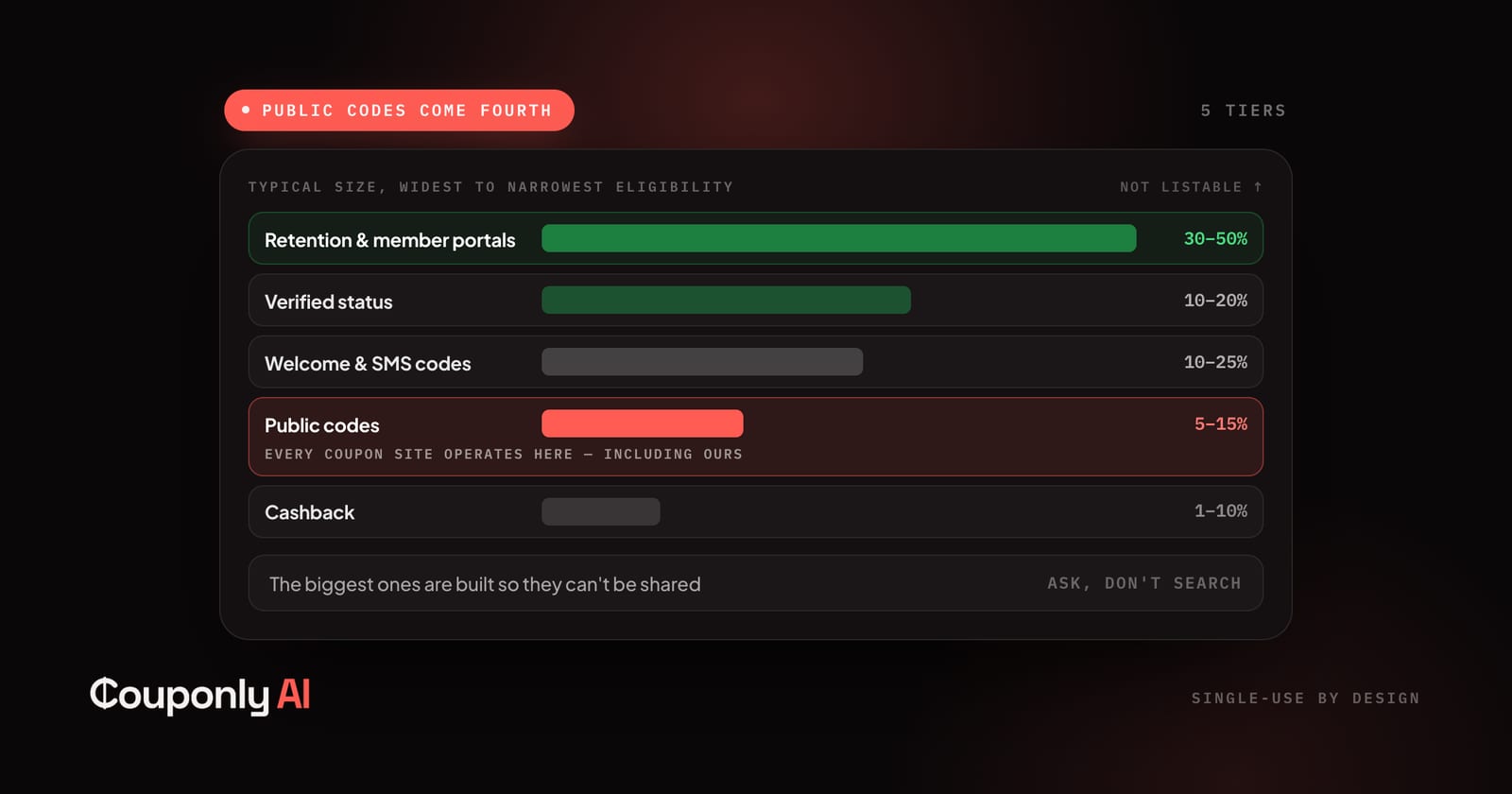
The Discounts That Never Get Listed
The largest discounts merchants issue never reach a coupon site, because they're built so they can't be shared. Here are nine, and how to get each.
Couponly Editorial
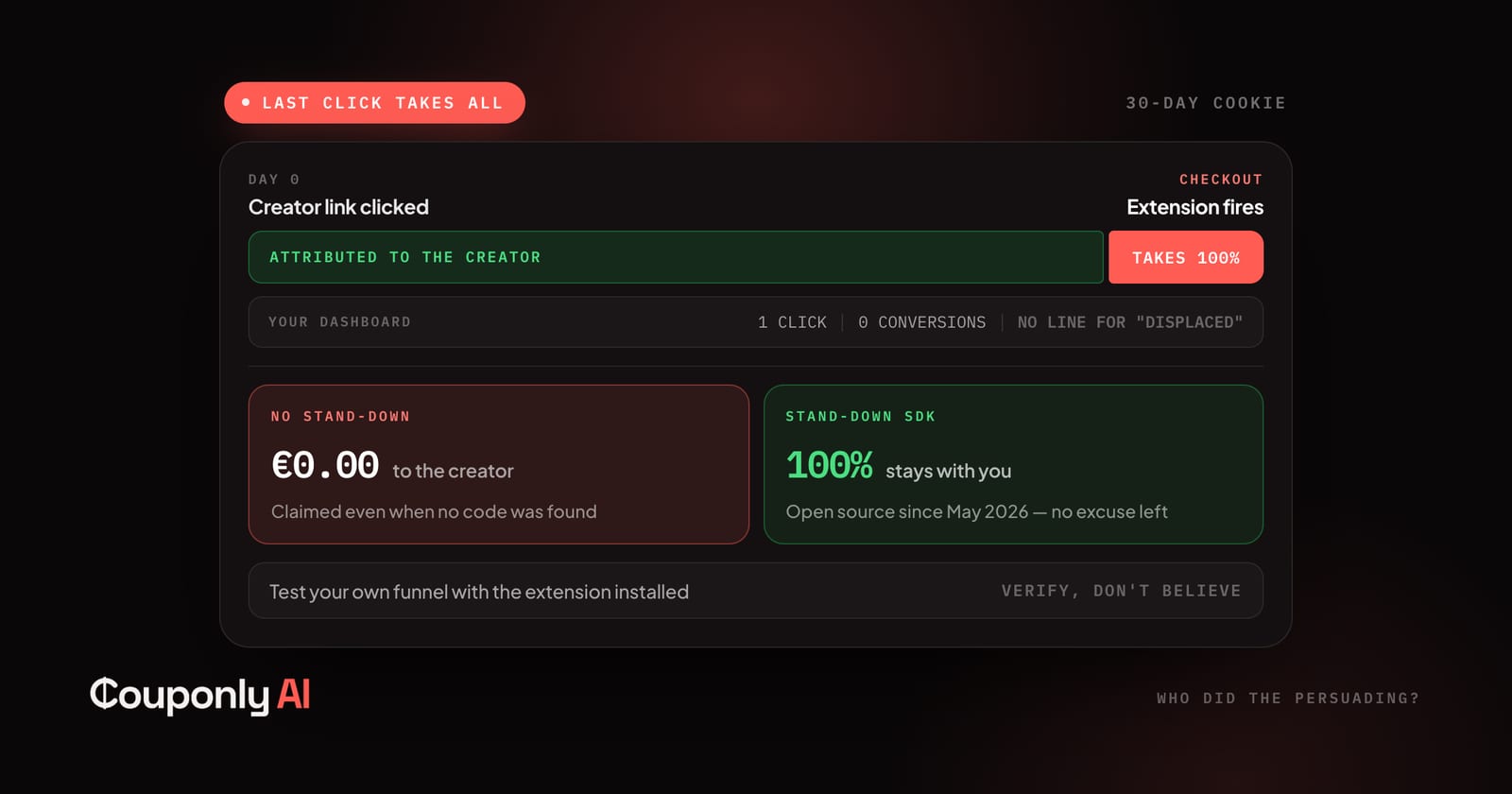
What Creators Should Know About Attribution
You sent the customer. Someone else got paid. Here's the mechanism, what the 2026 enforcement changed, and what to check on your own links.
Couponly Editorial
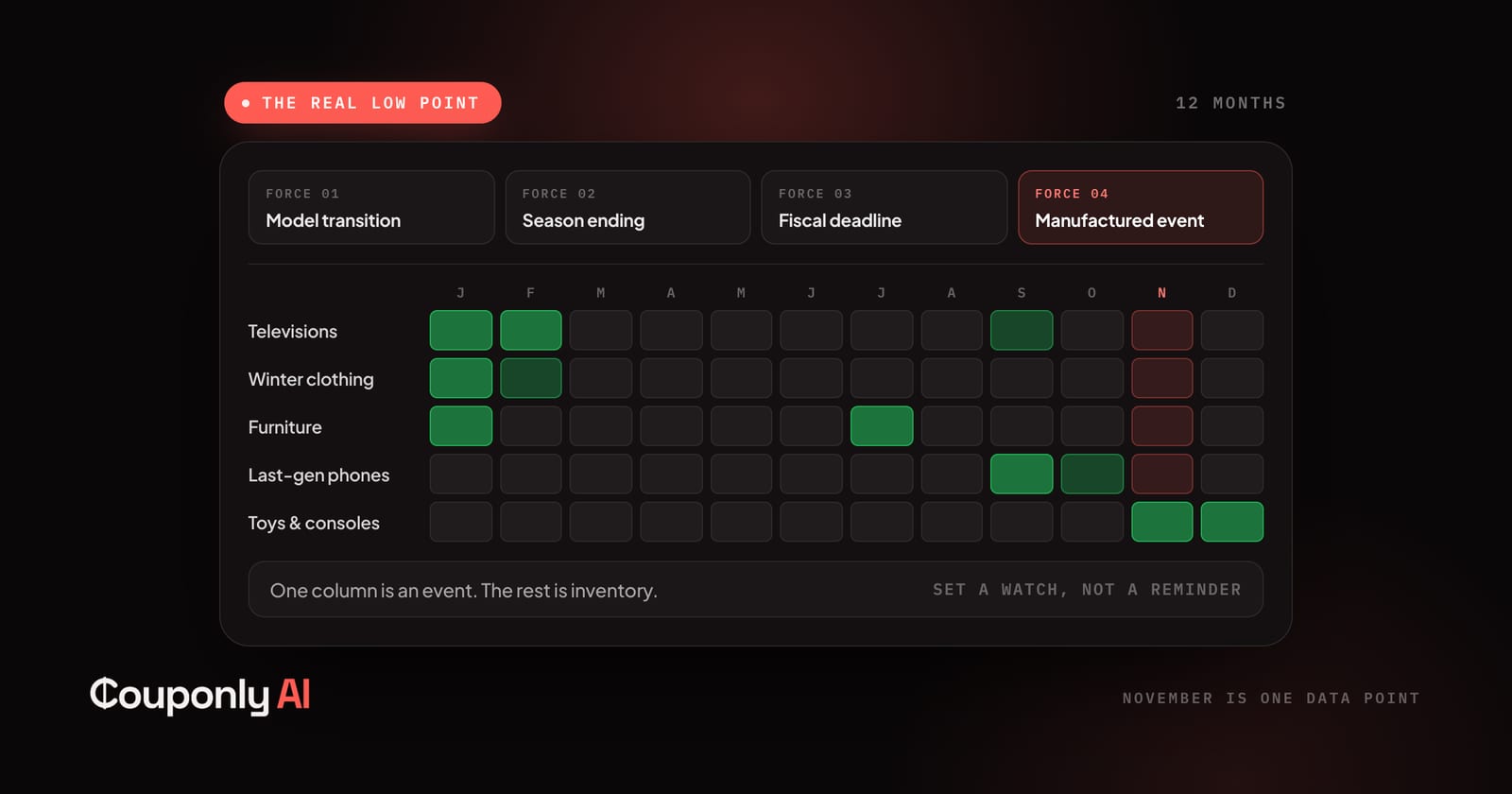
The Discount Calendar: When Things Go on Sale
Sale events are marketing. Product cycles and season endings are structural — and they're what actually move prices. Here's the calendar month by month.
Couponly Editorial